
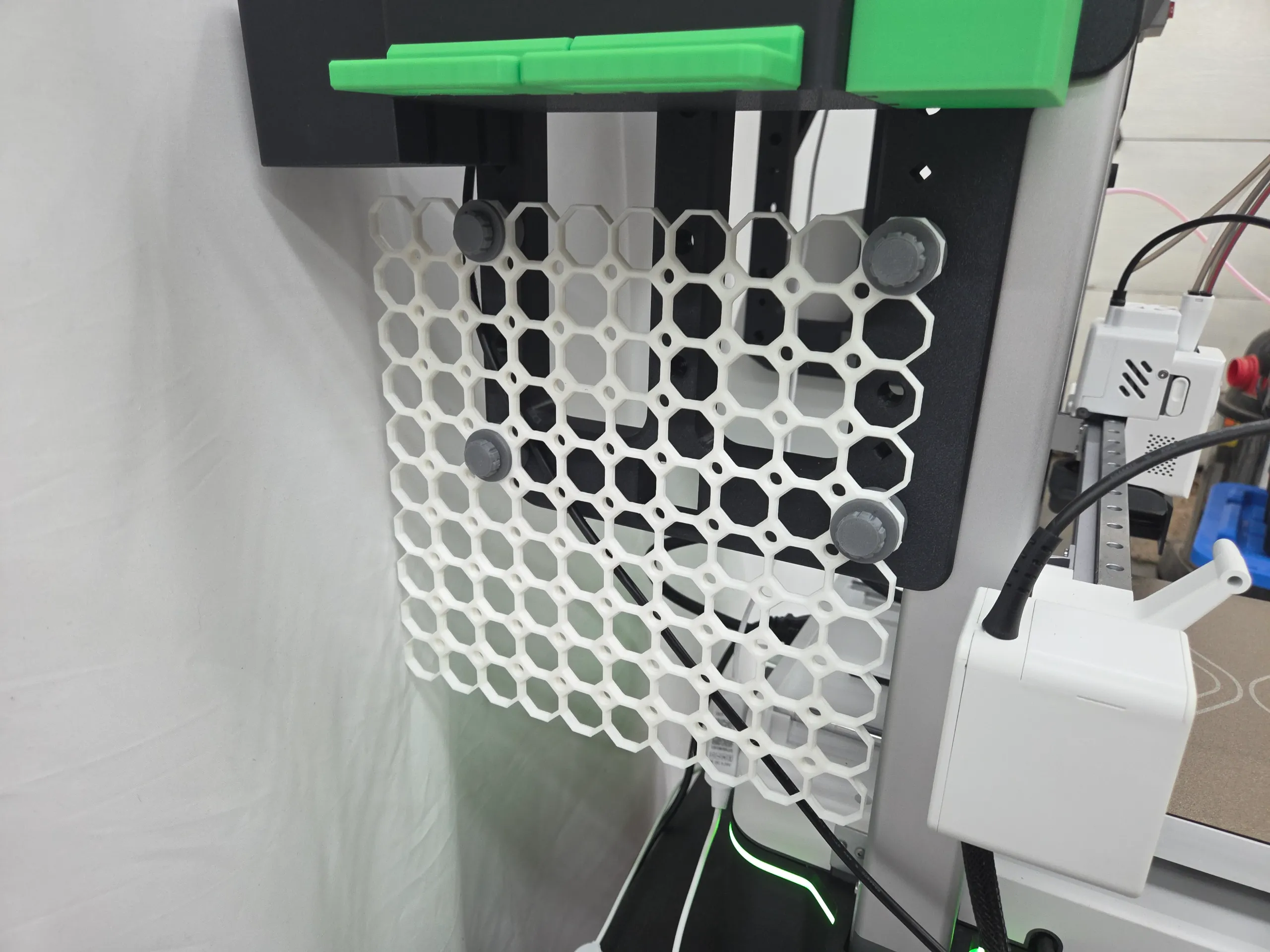
Model Overview & Print Notes
CHANGELOG
2026-6-21 Added an optional bolt with a smaller diameter.
2026-6-21 Added a left hand thread bolt (regular and small diameter) If you mount the tool tray on the left hand side of the printer (referenced as when looking at and facing the printer) you will need to use a left hand thread bolt.
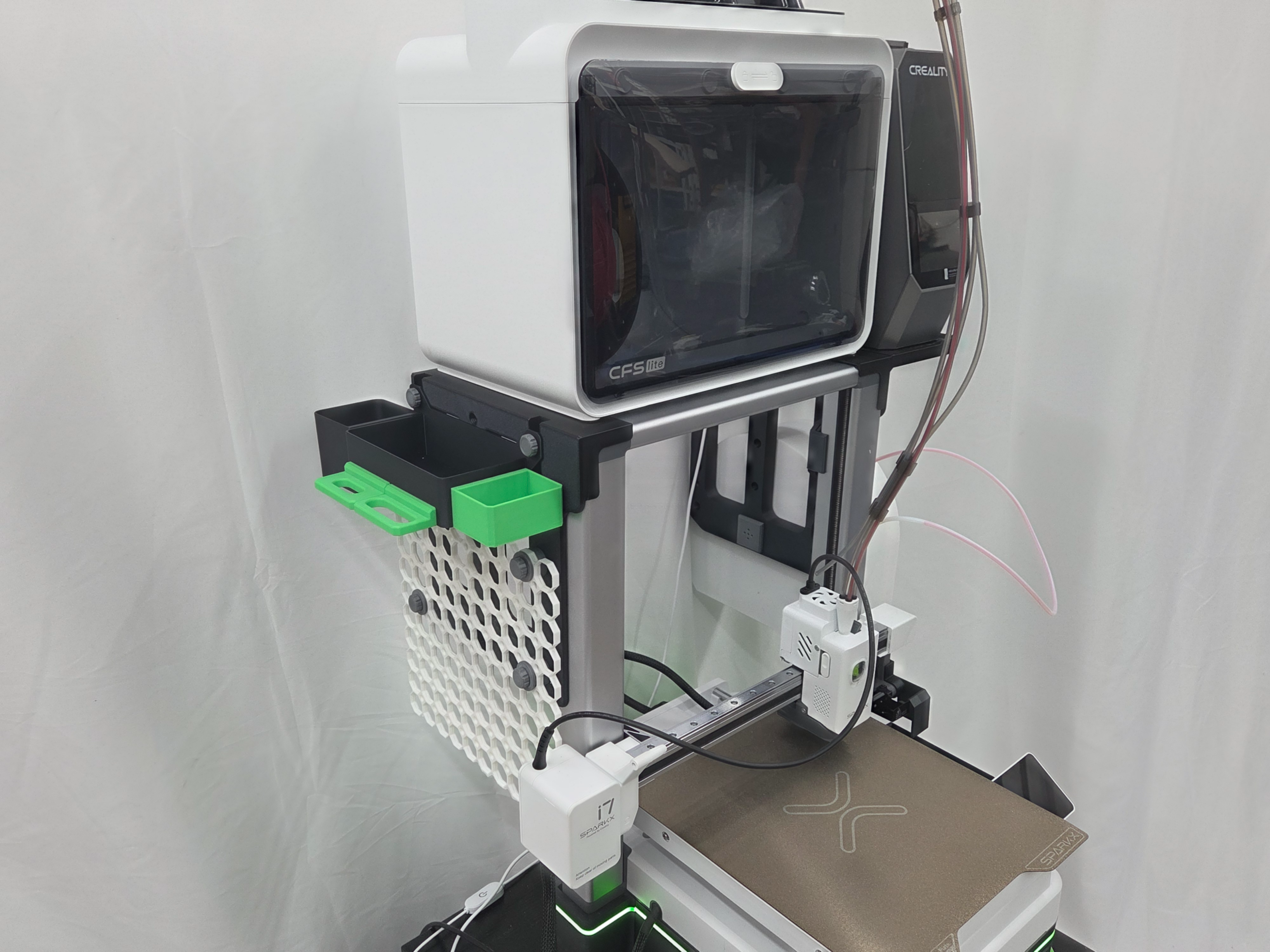
The model is for a Multiboard adapter which allows you to mount a Multiboard grid on the side of the D3P SparkX i7 overhead mount.
To find out more about the D3P SparkX i7 overhead mount:
The adapter requires the FULL V2 version of the D3P SparkX i7 overhead mount.
The model includes four sets of a bolt and two spacers. The thinner spacer goes on the exterior surface of the Multiboard. The thicker spacer is used between the overhead mount and the Multiboard grid.
INSTALLATION
The Multiboard grid can be mounted at different heights.
If you mount the tool tray on the left hand side of the printer (referenced as when looking at and facing the printer) you will need to use a left hand thread bolt.
The minimum size of Multiboard grid is 8 wide and 10 being the preferred size (as in the photos).
The Multiboard grid is a separate download. It can be freely downloaded on Thangs - replace the ** with Thangs to use this link: https://******.com/designer/MultiBuild/3d-model/10x10%2520Multiboard%2520Side%2520Legacy%2520Tile-977715
3D PRINTING
PRINT SETTINGS
I strongly recommend you use my print setting file. If not, I will not be able to assist you if there is an issue when printing. From experience, many of the issues with printing my models are on account of users not using my print settings.
3D PRINT SETTINGS
I use the following settings and materials to print this model:
Infill % : 15% (no need for more)
Nozzle diameter: 0.4 mm
Layer height: 0.2 mm standard
Material: PLA and PETG


💬CrealityCloud Community Comments(...)
★CrealityCloud Original Reviews