
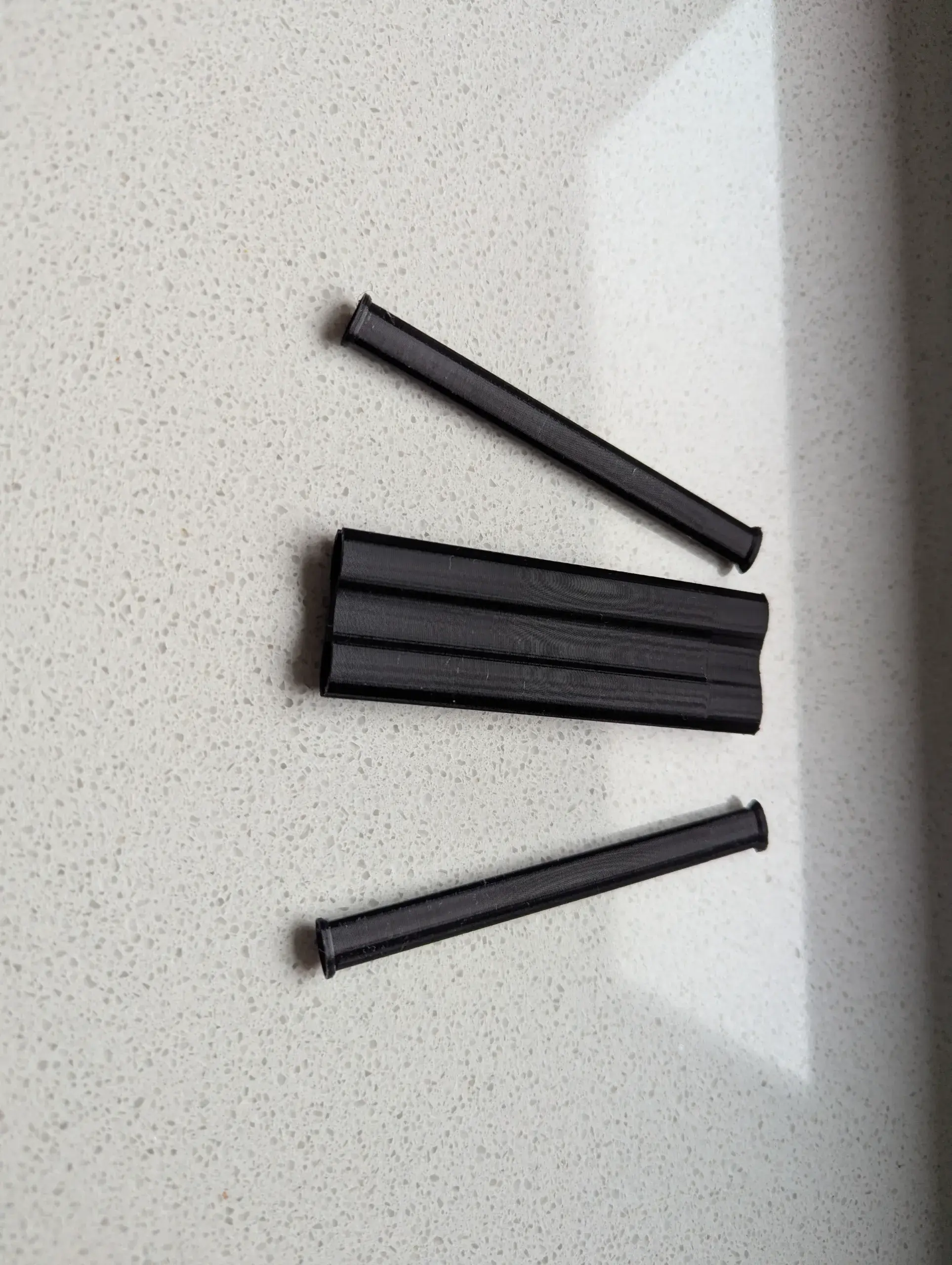
Model Overview & Print Notes
If you have one of these unisize costumes but a smaller child, this is your print.
It snaps at the backside (or wherever you want) and reduces the circumference by 4-6 cm, depending on which clamp you use. I've created 4 versions as follows. If you are not sure which to use, print all, otherwise you can choose the one that suits your needs. Please refer to the attached picture to identify the versions.
- Reduce circumference 4 cm, fabric thickness approx: 0.5 mm
- Reduce circumference 4 cm, fabric thickness approx: 0.75 mm
- Reduce circumference 6 cm, fabric thickness approx: 0.5 mm
- Reduce circumference 6 cm, fabric thickness approx: 0.75 mm
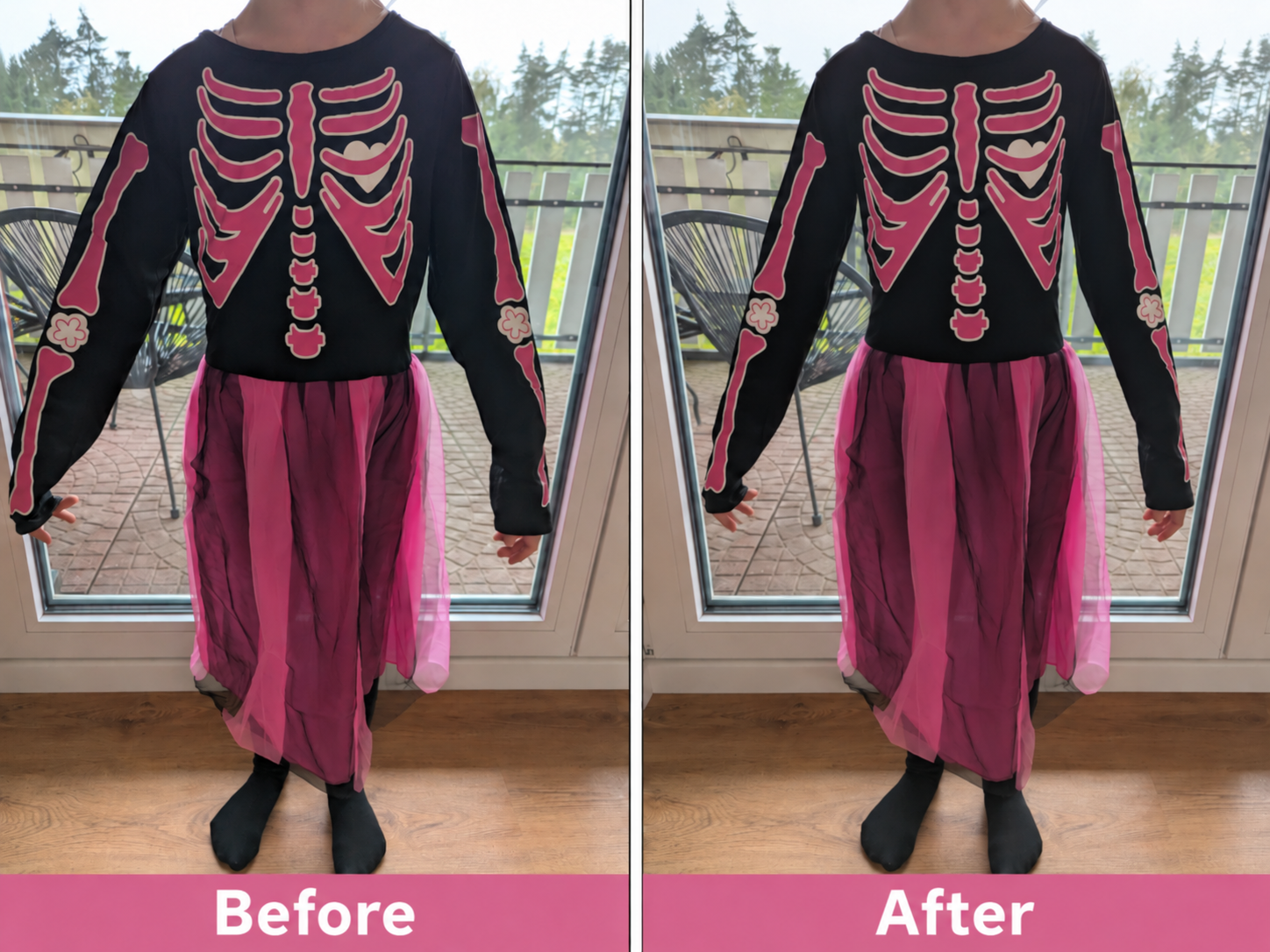
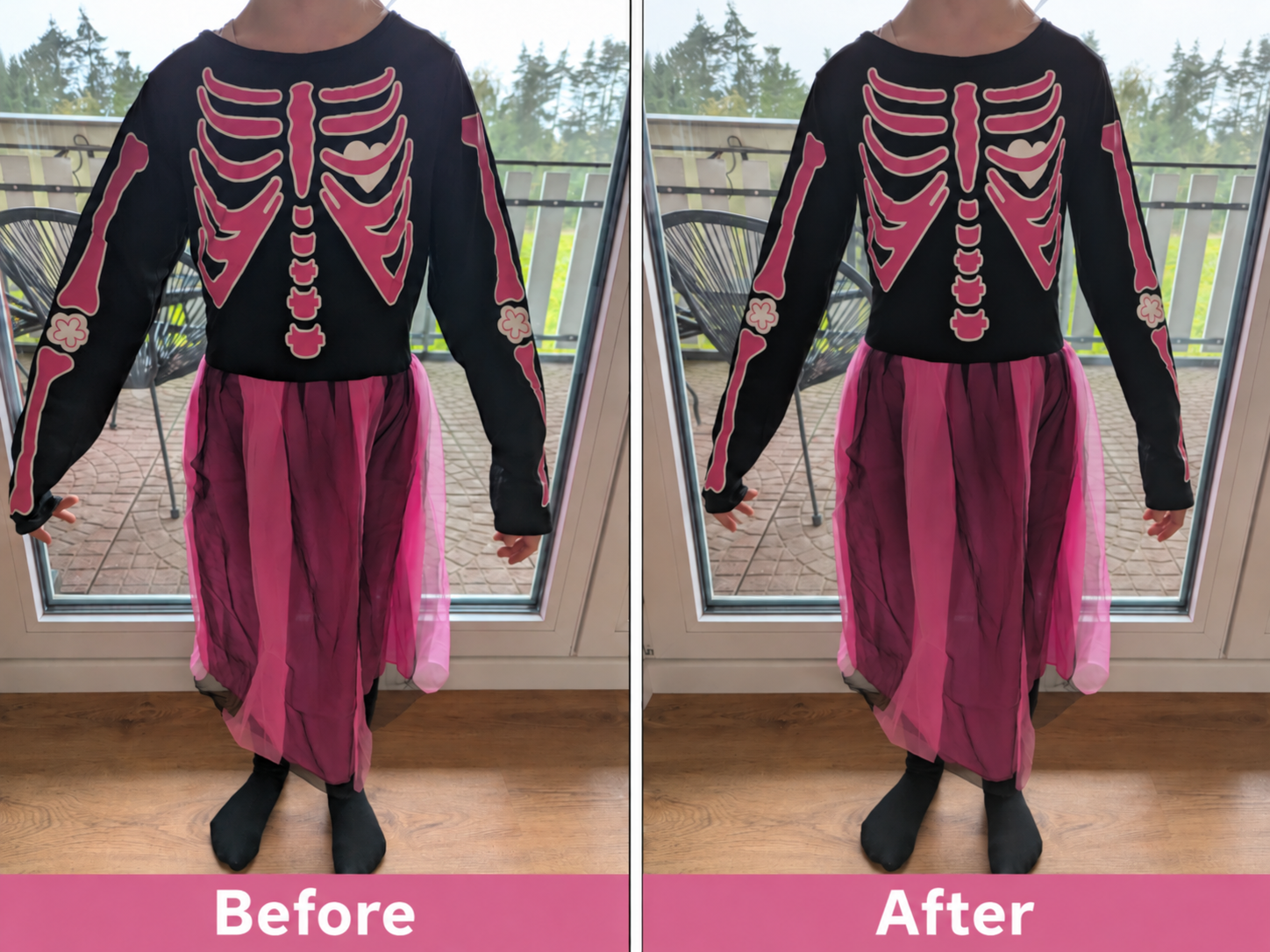
The clamp (bigger part called A) should sit inside the shirt or costume, and the two bars (called B) snap into the clamp and grab around 2-3 cm of material. The picture below shows the difference (the clamp is at the backside). The right side is "slim fit" and my daughter likes it much more than before. If you have the same challenge, feel free to use it.
Standard printing settings, I've used PETG. Printed upright without supports.

💬CrealityCloud Community Comments(...)
★CrealityCloud Original Reviews