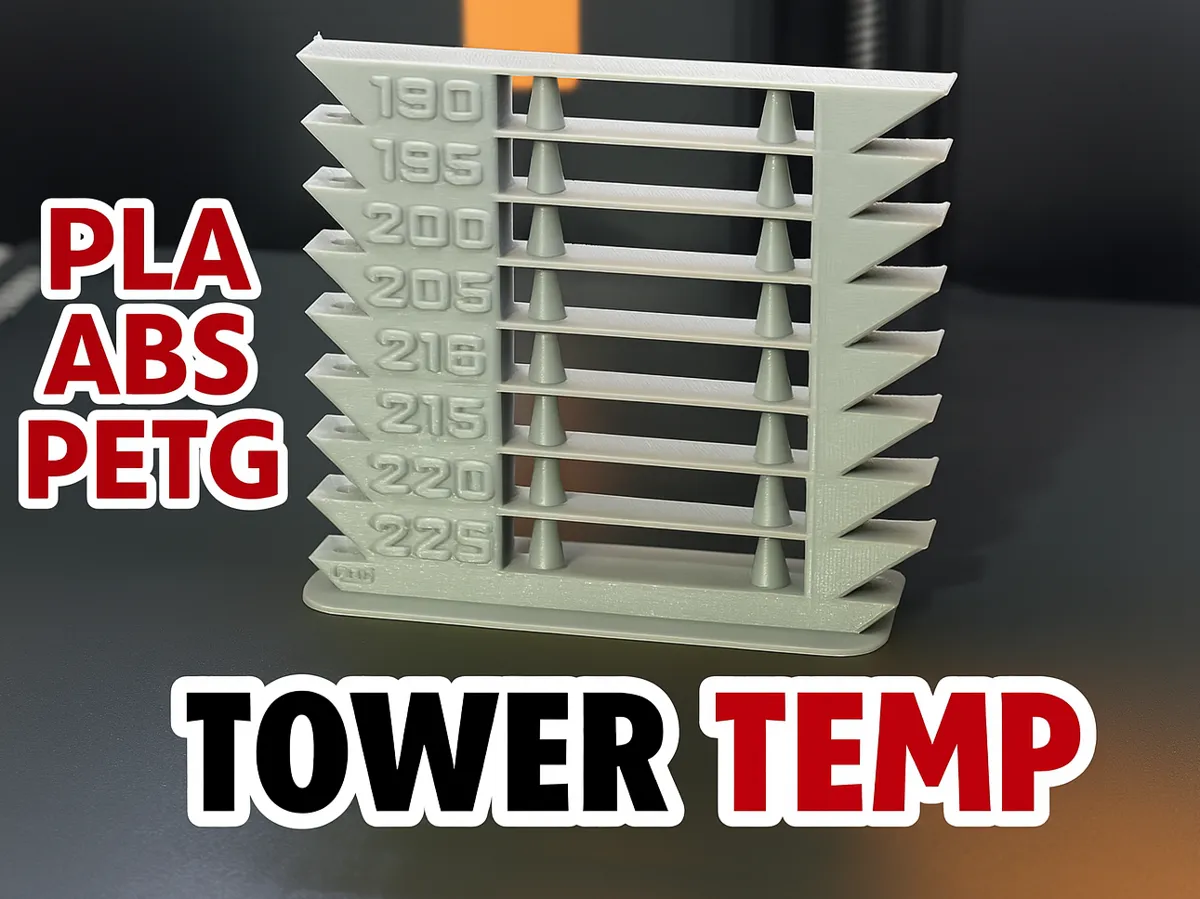
Model Overview & Print Notes

Boost Meif I managed to help you, you can help me too by clicking on the “Boost” button, it's free and you help me a lot.


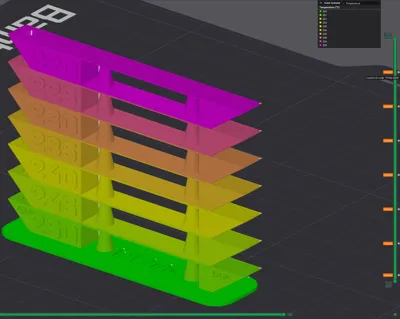
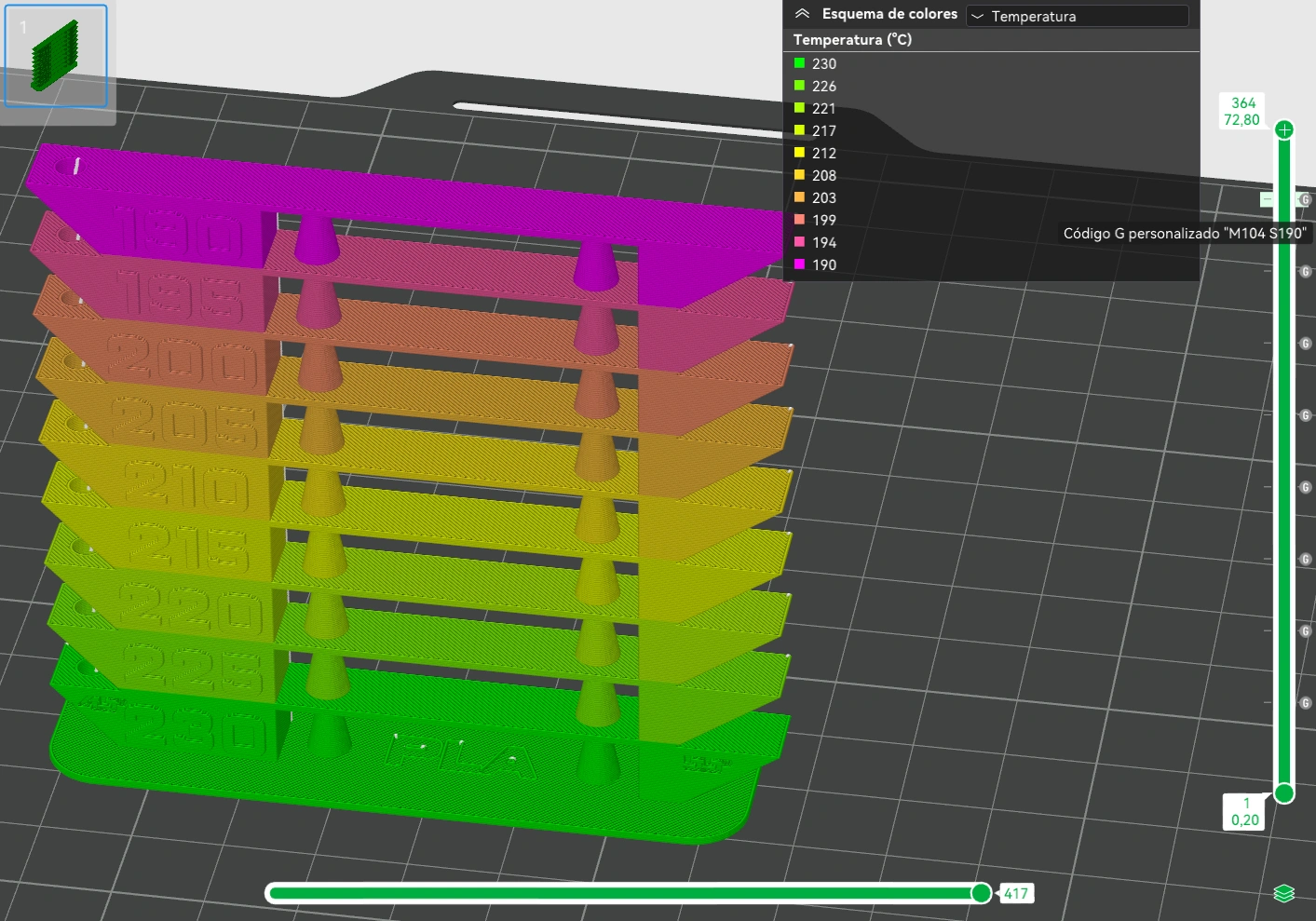
Maker World does not allow you to upload a 3mf with custom Gcode, in the fifth image you can see the command that you must use for temperature changes, it is added in the right bar as custom G-code: “M104 S[Target temperature]”


Customised layered G-Code:
- layer 44: M104 S225
- layer 84: M104 S220
- layer 124: M104 S215
- layer 164: M104 S210
- layer 204: M104 S205
- layer 244: M104 S200
- layer 284: M104 S195
- layer 324: M104 S190


In this image you can see how to enter the custom Gcodes to set the printing temperature manually, you must also choose the maximum temperature as the printing temperature in the profile of your filament.


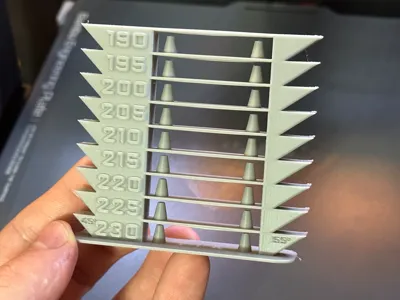
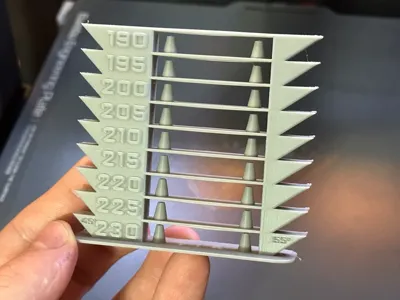
Towe Temp for PLA 230-190ºC

Tower Temp for ABS 270-230ºC

Tower Temp for PETG 250-220ºC
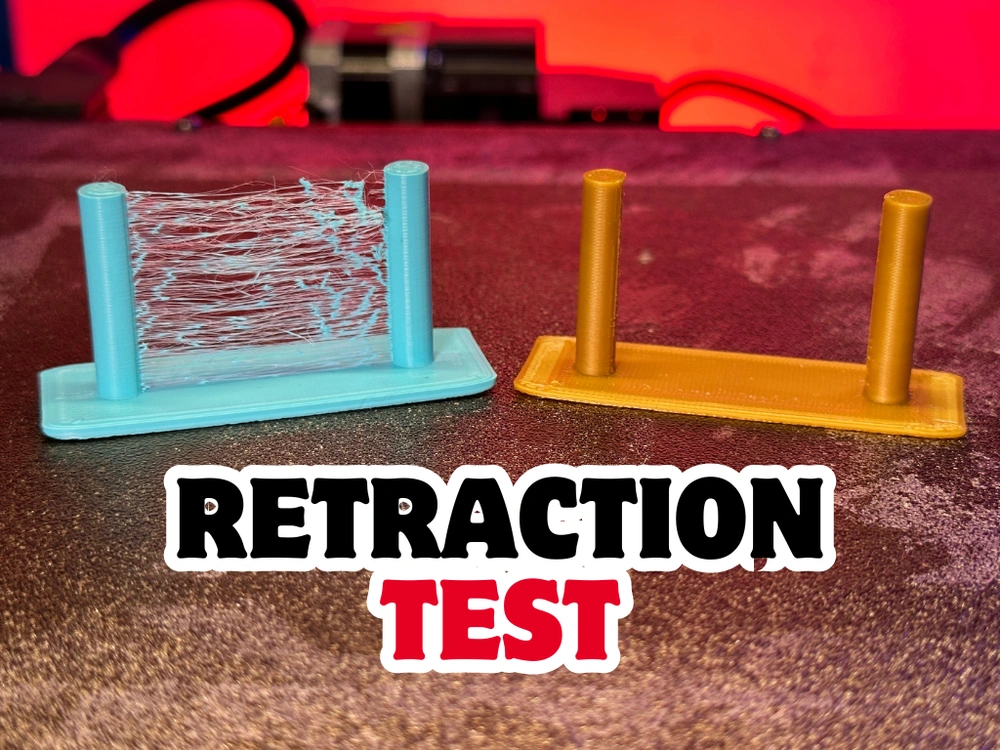
 

If your tower has a lot of threads between the cones, you can try printing this design and calibrate your retractions, I hope it helps!


NEW MODEL AVAILABLE


💬MakerWorld Community Comments(4594)

★MakerWorld Original Reviews
🔄 Loading comments from MakerWorld...
MakerWorldMakerWorld✓ Verified Model

Tower Temp / Temperature Tower Test -PLA-ABS-PETG

View Source ↗
⬇ Downloads106.1K
♥ Likes8.3K
👁 Views—
⚙ Print ReadyPrint Ready
MakerWorldOpen on MakerWorld↗

Download, slice and print this model in the MakerSpell app — available on Android and Windows. Get the app

TOWER PLA 0.2mm layer, 2 walls, 15% infill
⏱ 1h 12m· 🖨️ 1 Plate· ⚖ 17g
ℹ️ Details
PETG read the description for before printing
⏱ 1h 15m· 🖨️ 1 Plate· ⚖ 14g
ℹ️ Details
Optimized version PLA
⏱ 1h 10m· 🖨️ 1 Plate· ⚖ 16g
ℹ️ Details

License & Copyright Terms

⚖️Standard Digital File License
🔒Personal Use Only (Commercial Sales Prohibited)
✂️Remix & Sharing: Subject to Platform Terms
🏷️Source: MakerWorld Original Publication