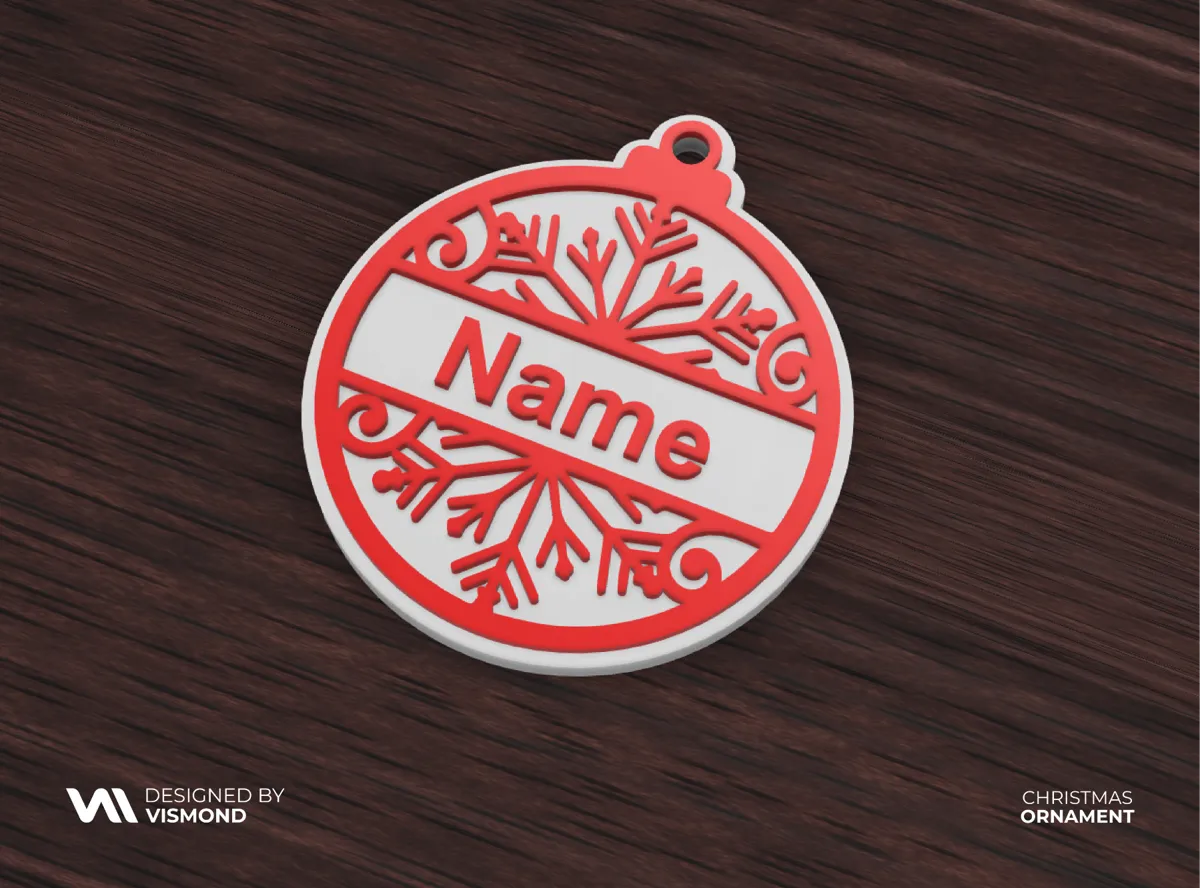
Model Overview & Print Notes

INSTRUCTION

STEP ONE :
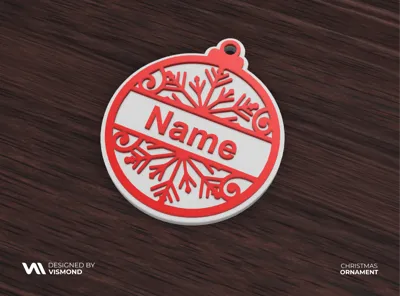
open the file, after opening click on "objects"
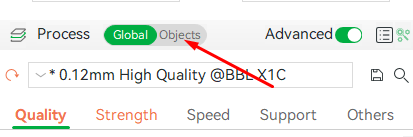


STEP TWO:
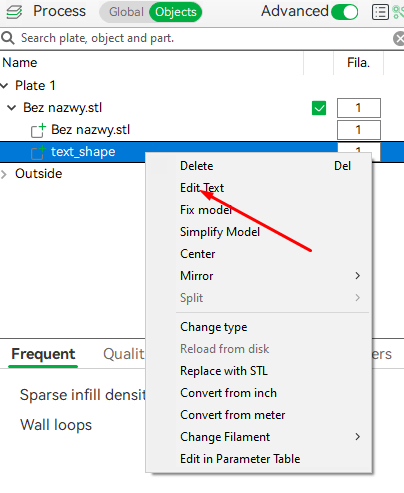
right click on "text_shape" and then click "edit text"


STEP THREE:

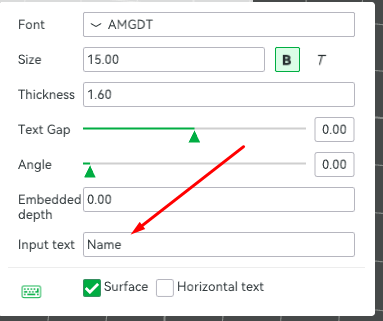
Edit text using any font and modify the size.

Remember not to change the text thickness, which is 1.6mm


💬MakerWorld Community Comments(258)

★MakerWorld Original Reviews
🔄 Loading comments from MakerWorld...
MakerWorldMakerWorld✓ Verified Model

Christmas Ornament Name Customize

View Source ↗
⬇ Downloads4.2K
♥ Likes836
👁 Views—
⚙ Print ReadyPrint Ready
MakerWorldOpen on MakerWorld↗

Download, slice and print this model in the MakerSpell app — available on Android and Windows. Get the app

0.12mm layer, 2 walls, 30% infillAMS
0.12mm layer, 2 walls, 30% infill
⏱ 1h 27m· 🖨️ 1 Plate· ⚖ 17g
ℹ️ Details

License & Copyright Terms

⚖️Standard Digital File License
🔒Personal Use Only (Commercial Sales Prohibited)
✂️Remix & Sharing: Subject to Platform Terms
🏷️Source: MakerWorld Original Publication