
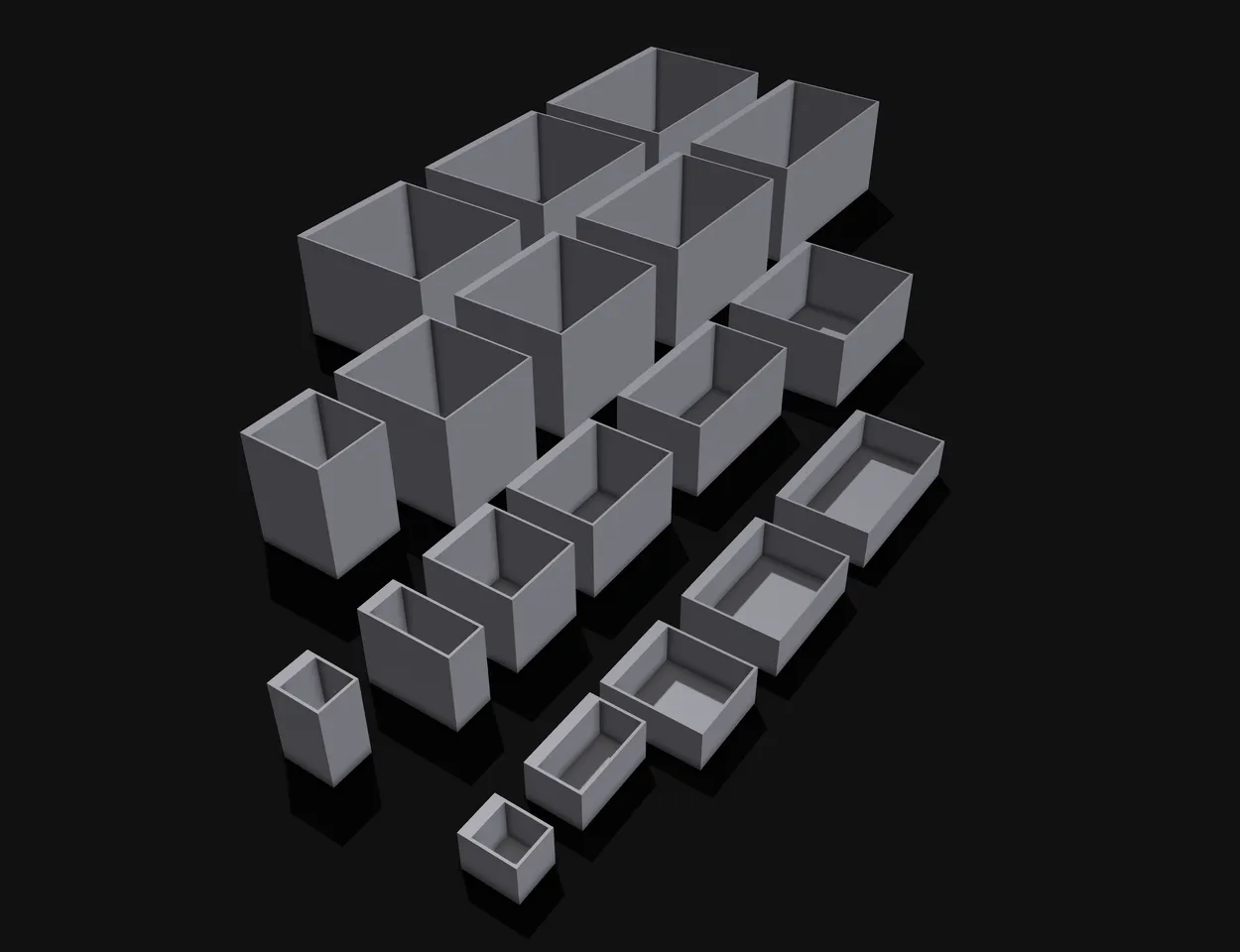
Model Overview & Print Notes
Every multiboard needs to have some bins to put stuff in. Need any useable size you can just attach end easily remove, use the multiboard bin system.
Note: You may also like the open bins I created, which allow easy front access. Also you might want to check out version 2 of the bins.
Howto use: You will need at least one multiboard connector for each edge of the bin, but may use as many as you like. Connect those to the multiboard, then just slide the bin over all the connectors. The bin should “click” in when pushed down.
If you want to remove a bin just push it up again. You may then reconnect to any other connectors.
Multipoint compatibility: If you want to use this model with multipoint you may use the multipoint to multiconnect adapter.
Sizes: The multiboard bins use a XxYxZ naming schema where:
- X is the width of the bin
- Y is the depth of the bin
- Z is the height of the bin
All sizes have to be multiplied by the 25mm multiboard grid size. So when the bin is named “3x2x1” it is 75mm wide, has a depth of 50mm and a height of 25mm.
Warning: The multiboard grid is pretty small. This means that 1x1x1 bin just 25mm x 25mm x 25mm. Please ensure you really get a bin that is big enough.
Credits to Jonathan (KeepMaking) for creating multiboard.


💬Printables Community Comments(26)
★Printables Original Reviews